Following along? Open the live page
Finmagine — free to explore • premium for full access • no app needed
The short answer
There are two completely different ways to connect an AI assistant to Finmagine, and only one of them is visible on /account/connected-apps.php:
- A static API key baked into the connector URL — works, but is invisible to your Finmagine account page.
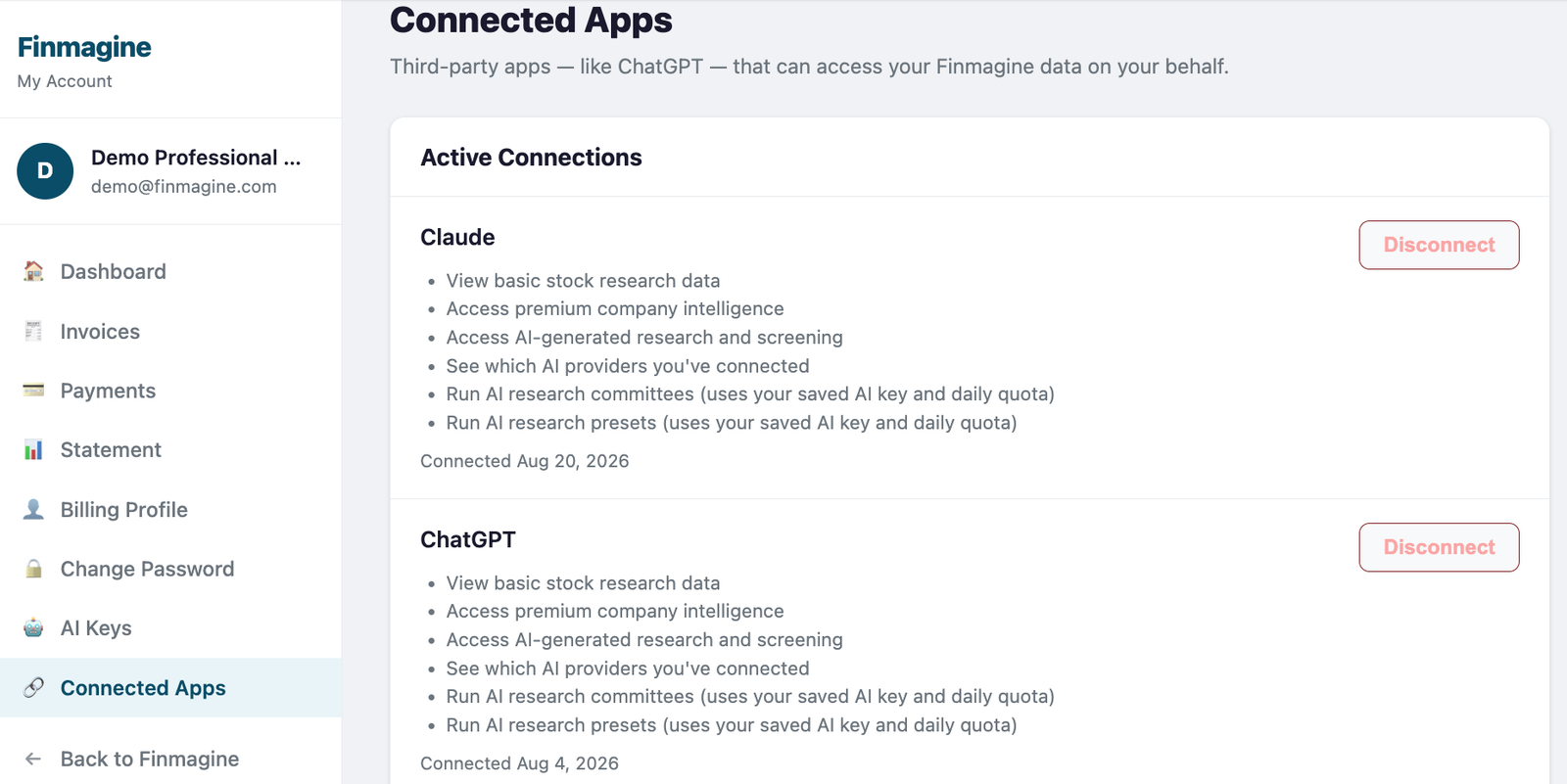
- A real OAuth login — you sign into Finmagine and approve a consent screen — shows up on Connected Apps, listed under the assistant's name (e.g. "Claude" or "ChatGPT"), not "Finmagine".
The two connection methods, side by side
| Static API key | OAuth login | |
|---|---|---|
| How you set it up | Paste a connector URL with your key in it: https://finmagine.com/api/mcp.php?apiKey=fmk_... | Paste just https://finmagine.com/api/mcp.php, then the assistant walks you through a real Finmagine login and an "Allow access" consent screen. |
| What it's tied to | Whichever developer API key you generated at finmagine.com/developer — the same key you could also use in a script or curl command. | A short-lived access token plus a 90-day refresh token, issued specifically to that one assistant, for your account only. |
| Typical name you gave it | Often "Finmagine Market Intelligence" — the name our own Getting Started guide suggests for this exact setup. | Whatever you typed when adding it — commonly just "Finmagine". |
| Shows on Connected Apps? | Never. No OAuth token exists to list. | Yes — but listed under the connecting app's own name ("Claude" / "ChatGPT"), not "Finmagine". |
| How to disconnect it | Delete or rotate the API key on the developer portal, or remove the connector on the assistant's side. Finmagine's account page has no visibility into who's holding a given fmk_ key. | Click Disconnect on Connected Apps — instantly revokes every token issued to that app. |
Why the connecting app's name shows, not "Finmagine"
Connected Apps is Finmagine's version of the "third-party app access" page every major platform has — the same idea as Google's "Apps with access to your account" or GitHub's "Authorized OAuth Apps". Those pages all work the same way: they list things from your account's point of view. Google's page shows "Zoom" or "Slack", not "Google" — because Zoom and Slack are the outside apps that asked for access to your Google account.
Finmagine's page follows the identical convention. When Claude or ChatGPT connects via OAuth, it's the assistant asking Finmagine for access to your data — so the row is labeled "Claude" or "ChatGPT", never "Finmagine". "Finmagine" is simply what you called the connector on the assistant's own side — that label lives in Claude's or ChatGPT's settings, not in Finmagine's database, so it was never going to appear on Finmagine's own page either way.
"I just connected and it's still not showing"
Before assuming something's broken, check these in order:
- Is it the API-key type? Check the connector URL or config on the assistant's side. If you see ?apiKey=fmk_... anywhere, that's expected to never appear on Connected Apps — see the comparison above.
- Reload the page. Connected Apps queries the database fresh on every load — it isn't cached. But if you had the tab open from before you finished the login/consent screen, that tab is just showing what it loaded then. A refresh fixes it.
- Are you looking for the word "Finmagine"? Look for "Claude" or "ChatGPT" instead — see the section above.
- Are you logged into the right Finmagine account? Connected Apps only shows connections made under the account you're currently logged in as. If you approved the consent screen while logged in as a different Finmagine account (a work vs. personal login, for example), it'll show up there instead.
ChatGPT — now live
Finmagine's ChatGPT app is approved and live in OpenAI's app directory. Open the listing directly, or search for "Finmagine" inside ChatGPT, then click Connect and log into Finmagine on the consent screen that follows — no manual URL or API key to paste. It always uses OAuth, so every ChatGPT connection shows up on Connected Apps automatically, labeled "ChatGPT". See the ChatGPT setup guide for the full walkthrough and starter prompts.
Quick reference
Ready to Analyse Indian Stocks Like a Pro?
Finmagine gives you 30+ computed financial ratios, sector benchmarks, FII/DII flows, the Finmagine Score, and AI-powered analysis — all in one place.