Finmagine Stock Discovery Hub

Feed, Find Ideas, Run Screens, Ask AI & Get Set Up — one landing page from watching the market to acting on it

COMPLETE GUIDE NOW LIVE FOR US MARKETS

Following along? Open the live page

Finmagine — free to explore • premium for full access • no app needed

Open Finmagine →
← All Feature Guides Open Stock Discovery Hub (India) → Open Stock Discovery Hub (US) →
Who can use this feature?
~
Guest
Partial Access
~
Free
Partial Access
Premium
Full Access

ⓘ The Discovery Hub landing page itself is open to everyone. Individual tabs gate further: Feed and Find Ideas need a free login and a watchlist; most Run Screens presets and the full Ask AI toolset (BYO AI key, Document Search, AI Research Agent) are Premium features; Get Set Up is available to all logged-in users, checking off whichever items apply to your tier.

Published: September 2026  |  8 min read  |  Platform Guide  |  Discovery Series

Multimedia Learning Hub

Master the Stock Discovery Hub through a written walkthrough, a full video tour, and interactive flashcards

What You Will Master

The Stock Discovery Hub is what you land on at /stock/ — the starting point for every research session on Finmagine. Five tabs take you from a live pulse on your own watchlist, through finding and screening new ideas, to AI-assisted research and account setup, all on one page.

What This Guide Covers:

  1. Feed — live watchlist activity: earnings, board meetings, insider trades, corporate actions
  2. Find Ideas — Trader Scans, Curated Lists, Momentum & Breadth tools, Strategy Lab, and Ratings & Scorecard
  3. Run Screens — 44 ready-made presets, one click to a shortlist
  4. Ask AI — ChatGPT/Claude connectors, Document Search, the AI Research Agent, and Ask Guides
  5. Get Set Up — a live checklist for watchlist, alerts and Telegram, your own AI key, and a developer API key
Diagram: Five Tabs, Four Checkboxes, One Command Center — Monitor (Feed) to Ideate (Find Ideas, Run Screens) to Investigate (Ask AI) to Automate (Get Set Up), with the Get Set Up checklist showing Watchlist/Portfolio, Alerts + Telegram, Bring-Your-Own AI Key, and Finmagine Developer API Key
Fig 1 — The Discovery Hub's five tabs, arranged by what they're for: Monitor → Ideate → Investigate → Automate.

Video Walkthrough — The Stock Discovery Hub

A complete, real walkthrough of all five tabs — including a live look at Top Picks and the Quality Compounders screener, a real alert created on Reliance Industries, and a live key test against DeepSeek and Alpha Vantage.

What you'll see in this video:
  • The Feed tab's live watchlist activity stream
  • Find Ideas' five sections, including a live look at Top Picks
  • Run Screens applying the Quality Compounders preset in real time
  • Ask AI's ChatGPT/Claude setup guides, Document Search, AI Research Agent, and Ask Guides
  • Get Set Up — a real alert created on Reliance Industries, a live BYO key test, and Connected Apps

Video Walkthrough — The US Stock Discovery Hub

The same Discovery Hub, now live for US markets at /us/stock/ — watchlists, curated stock ideas, market breadth, RS momentum, Sector RRG, AI research, alerts, BYO AI keys, connected apps, and developer API access, all in one workflow.

What you'll see in this video:
  • The Feed tab tracking 59 US stocks, with earnings on the calendar for names like Apple, Microsoft, and Amazon
  • Find Ideas' Trader Scans, Curated Lists, and Momentum & Breadth tools — US Market Breadth, RS Momentum, Sector RRG
  • Run Screens' 42 ready-made US presets, including Quality Compounders returning 233 real matches
  • Ask AI connecting natively to ChatGPT and Claude, plus Document Search across US earnings call transcripts and a grounded AI Research Agent
  • A real Apple price alert created live (below $200) and delivered to Telegram with the real price, real RS Rating, and Finmagine's built-in disclaimer
  • Manage Key (DeepSeek, Gemini, Groq, OpenRouter, Alpha Vantage), Connected Apps, and the Developer Portal — confirmed working for US markets from the very first tab

Test Your Knowledge

Click any card to reveal the answer. Use the search box to find a specific topic.

1. Feed — Your Watchlist's Live Pulse

The Feed tab is what loads first. It's a real-time activity stream aggregating every material event across all stocks in your watchlist — earnings filings, board meeting outcomes, insider trades, SAST disclosures, bulk deals, and promoter pledging changes — with a stats bar (Total / Announcements / Insider / SAST / Deals / Corp Actions) and an Upcoming events sidebar.

Going deeper: the Feed has its own 15-filter-tab deep dive, including the "Last Visit" marker and a suggested daily routine — see the My Watchlist Feed guide.
🇺🇸 Now live for US markets: at /us/stock/, the Feed tracks 59 US stocks with earnings automatically mapped to the calendar — names like Apple, Microsoft, and Amazon show up the moment a report date is confirmed.
Diagram: Actionable Data in the Feed — 59 US Stocks tracked, with an October earnings calendar highlighting AAPL, MSFT, and AMZN, mapped directly into the Watchlist Feed
Fig 1b — The US Feed: 59 tracked stocks, earnings mapped straight onto the calendar.

2. Find Ideas — Five Ways to Surface a New Candidate

Need a new idea instead of watching one you already have? Find Ideas groups every discovery tool on the platform into five sections:

SectionWhat it's for
Trader ScansMomentum setups — Stage 2 breakouts, near-52-week-high, high volume, VCP breakout, IPO breakout, BRS score, Momentum Streaks
Curated ListsTop Quality, Momentum, Dividend Stars, Hidden Gems, fundamental Scans, Quarterly Results, Past Winners
Momentum & BreadthMarket Breadth, RS Before Price, RS Momentum, Conviction, Earnings Catalyst Score, Sector RRG, Market Mood Index, Market Valuation
Strategy LabResearch Presets (Equity/Fundamental/Quant/Technical analyst panels) and the structured Investment Committee workflow
Ratings & ScorecardTop Picks (Top 20 by Fundamental Score), All Ratings, and the Finmagine Scorecard
Diagram: Find Ideas' five sections — Trader Scans (Stage 2 breakouts, VCP, IPO breakouts), Curated Lists (Top Quality, Dividend Stars, Hidden Gems), Momentum & Breadth (RS Before Price, Sector RRG, Market Mood Index), Strategy Lab (analyst presets and Investment Committee workflow), Ratings & Scorecard (Top Picks and Finmagine Scorecard)
Fig 2 — The five ways Find Ideas surfaces a new candidate.
Top Picks is recomputed nightly across every tracked company — a Top 20 ranking by Fundamental Score, not a static list.
Diagram: The Top Picks Engine — every tracked company on the exchange feeds into the Fundamental Score Algorithm, which outputs the Top 20 Picks, recomputed nightly
Fig 3 — Top Picks isn't a static list — it's recomputed nightly across every tracked company.
🇺🇸 Now live for US markets: Find Ideas bundles Trader Scans, Curated Lists, and Momentum & Breadth tools — US Market Breadth, RS Momentum, and Sector RRG. The Top Quality list narrows straight to 25 US names with strong ROE, ROCE, and low debt.
Diagram: Advanced Discovery Tools for US markets — Ideas Bundles, Trader Scans, and Curated Lists sections, with US Market Breadth, RS Momentum, and a Sector RRG quadrant chart (Leading, Improving, Lagging, Weakening)
Fig 2b — US Market Breadth, RS Momentum, and Sector RRG, unified in Find Ideas.

3. Run Screens — One Click to a Shortlist

Run Screens turns Find Ideas' browsing into precise filtering: 44 ready-made presets — Quality Compounders, Fortress Balance Sheet, Growth Accelerators, and more — each one a filter combination you'd otherwise have to build by hand. Clicking a preset applies it instantly and can narrow the market from thousands of stocks down to a shortlist in one step.
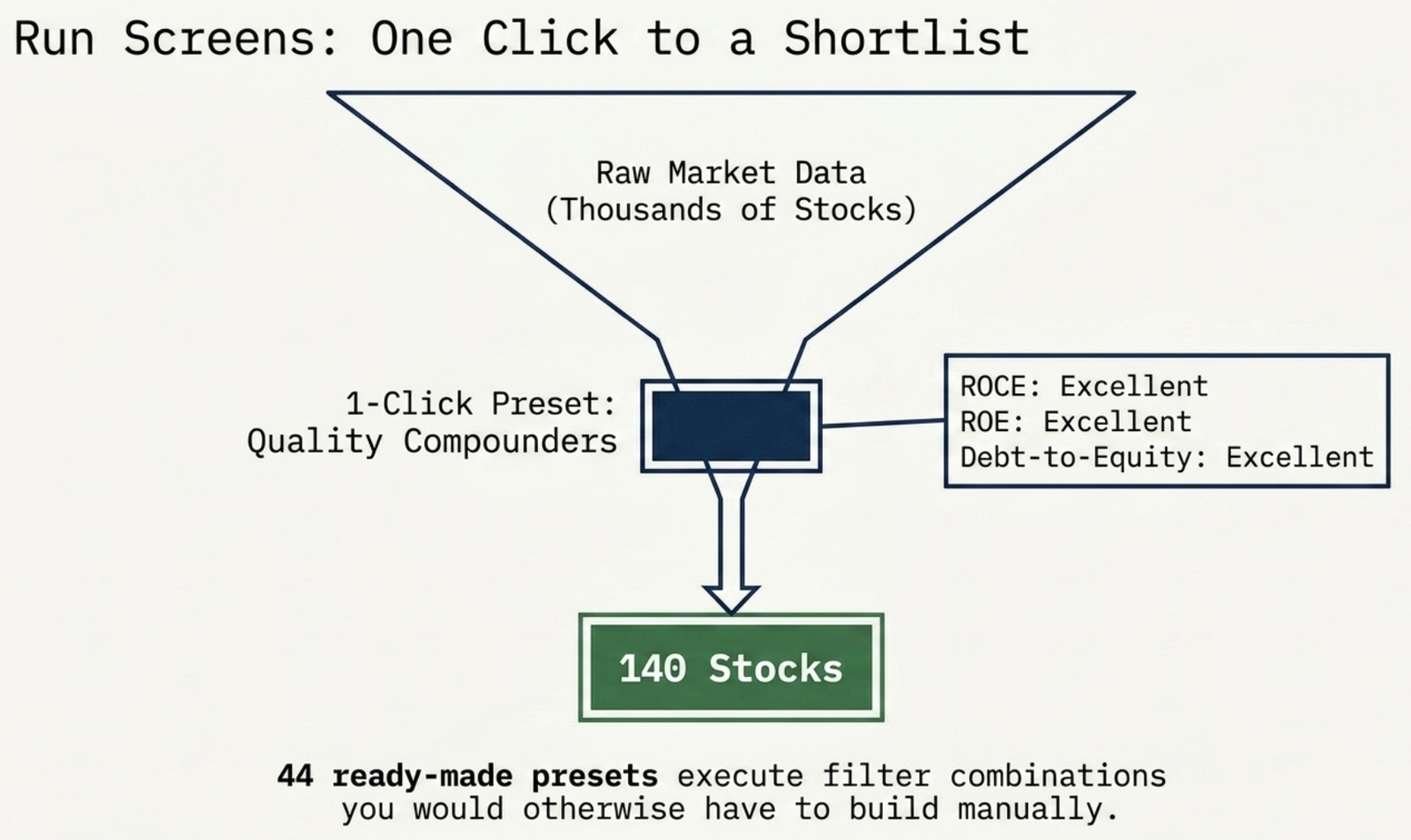
Diagram: Run Screens funnels raw market data (thousands of stocks) through a 1-click preset like Quality Compounders (ROCE Excellent, ROE Excellent, Debt-to-Equity Excellent) down to a shortlist of 140 stocks
Fig 4 — One click on Quality Compounders narrows thousands of stocks to a shortlist in a single step.
Full screener guide: for custom filters, natural-language screening, and chaining presets together, see the Screener guide.
🇺🇸 Now live for US markets: Run Screens ships 42 ready-made presets for US stocks. One click on Quality Compounders (return on invested capital, return on equity, and debt-to-equity all rated excellent) returns 233 real matches.
Diagram: One-Click Precision Screening for US markets — 42 ready-made presets, 233 real matches from the Quality Compounders screen (excellent ROIC, ROE, D/E), and 25 Top Quality names (strong ROE, ROCE, low debt)
Fig 4b — 42 presets, one Quality Compounders click, 233 real matches.

4. Ask AI — Research, Connectors & Your Own Keys

Ask AI is where Finmagine meets the AI tools you already use, alongside native research tools that need no setup:

Diagram: Ask AI's two halves — External Connectors (ChatGPT, Claude, and custom model endpoints via OAuth into the Finmagine API) on the left, and Native Tools (Document Search and AI Research Agent, both backed by raw concalls and financial filings) on the right
Fig 5 — Connect your own AI tools, or stay native and query Finmagine's filings directly.
ToolWhat it does
Try Finmagine AI in ChatGPTA direct connector — ask ChatGPT live questions about any stock, sourced and cited
ChatGPT / Claude Setup guidesConnect your own ChatGPT app or Claude via OAuth
Document SearchKeyword search across concalls, annual reports & filings
AI Research AgentCited Q&A over the same filings — tells you what it can't find, too
Ask GuidesCited answers from 400+ Finmagine how-to guides — how to use any feature
🇺🇸 Now live for US markets: Ask AI connects natively to ChatGPT and Claude, with Document Search across US earnings call transcripts and an AI Research Agent that tells you plainly when it can't find an answer. Bring your own key for DeepSeek, Gemini, Groq, or OpenRouter — plus an Alpha Vantage key for US news and sentiment context in the Investment Committee.
Diagram: Grounded AI Research for US markets — ChatGPT and Claude native connectors feeding into Ask AI, branching to DeepSeek, Gemini, Groq, and OpenRouter as BYO keys, and to Alpha Vantage for Investment Committee news and sentiment context
Fig 5b — Native ChatGPT/Claude, BYO keys, and Alpha Vantage sentiment — all on the US side too.

5. Get Set Up — A Live Onboarding Checklist

The last tab is a always-visible checklist of the four things that make the rest of the Hub actually work, with a badge showing how many are still pending:

ItemWhy it matters
Watchlist / PortfolioPowers the Feed tab — no watchlist stocks, no activity to report
Alerts + TelegramDelivery is Telegram-only; alert rules without a Telegram link are a silent no-op
Bring-Your-Own AI KeyRuns AI Advisor and Ask AI features on your own key, not Finmagine's bill
Finmagine Developer API KeyFor building against the MCP server or REST API directly
Diagram: Watchlist (83 stocks) and Portfolio (65 stocks, XIRR) powers the live Feed tab; Bring-Your-Own AI Key and Alpha Vantage Data Key powers Ask AI and the Investment Committee; Telegram Connection receives automated batch alerts; Developer API Key unlocks the MCP server and REST API
Fig 6 — What each Get Set Up item actually wires into.
Alerts are checked once daily, not instantly. Alert rules are evaluated in a single batch run on weekdays, around 11:00 AM IST. Telegram delivery happens the moment that scheduled check runs true — not the moment the condition becomes true. If you create a rule after that day's run has already passed, it's next checked the following morning.
Diagram: The Telegram alert pipe — rule-based alerts evaluate once daily around 11:00 AM IST, then a true condition lands in Telegram with zero extra steps; shown alongside a real Reliance Industries price alert card
Fig 7 — Alerts are batched, not real-time — but delivery to Telegram is instant once the scheduled check runs true.
🇺🇸 Now live for US markets: the same four-item checklist applies. In the video, watchlist, BYO AI key, and developer key were already active while Alert Rules was still pending — a real Apple alert (price below $200) was then created live, no mock, and landed tracked and active immediately.
Diagram: Transparent Onboarding for US markets — Get Set Up checklist showing Watchlist, BYO AI Key, and Developer Key already Active, with Alert Rules transitioning from Pending to Active
Fig 6b — US Get Set Up: three of four active, Alert Rules going from Pending to Active live on camera.
Delivery is real too: a live test firing moments later showed the exact real price and real RS Rating on Telegram, with Finmagine's own disclaimer built right into the message — a partial signal stack, not a recommendation.
Phone mockup: a Telegram alert message showing Price $316.22, RS Rating 73, and the note 'Net: Partial signal stack, not a recommendation' — matching the real alert delivered live in the video
Fig 7b — The real Telegram alert: real price, real RS Rating, built-in disclaimer.

The Ultimate Finmagine Workflow

Five tabs, one cohesive investment machine — the output of one tab becomes the input for the next:

Circular diagram: Feed surfaces activity, which triggers an AI Summary in Ask AI, which turns a pattern into a Run Screens screener, which surfaces a new stock in Find Ideas, which sets a price condition triggering a batch alert in Get Set Up, which signals the next Earnings Call back on the watchlist
Fig 8 — The loop: Feed → Ask AI → Run Screens → Find Ideas → Get Set Up → back to Feed.
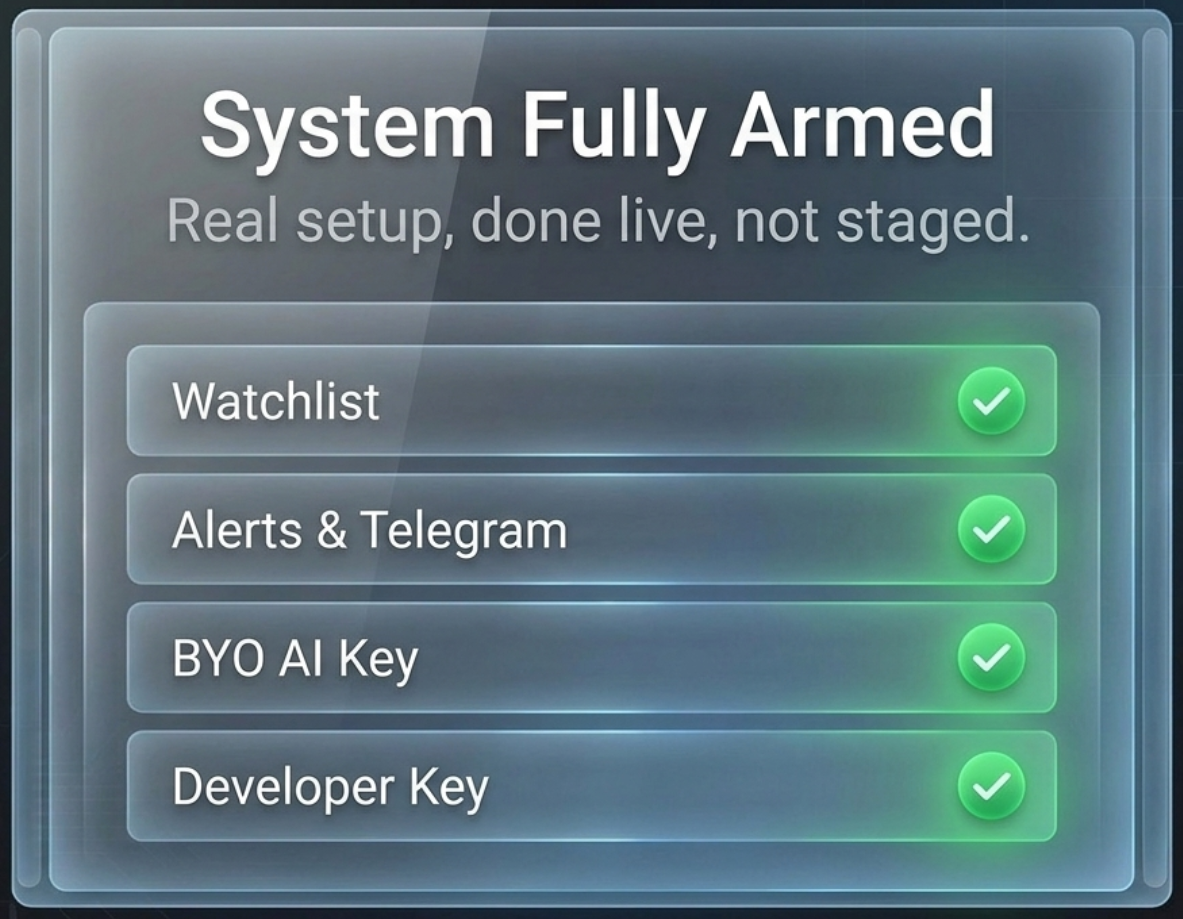
🇺🇸 Now live for US markets: by the end of the walkthrough, all four Get Set Up items read green — watchlist, alerts and Telegram, bring-your-own AI key, and developer key. Clicking View Key opens the Developer Portal directly: the same API and MCP building blocks covered in the Developer & Agent Builder video, confirmed working for US markets from the very first tab.
Panel: System Fully Armed — Watchlist, Alerts and Telegram, BYO AI Key, and Developer Key all showing green checkmarks, captioned 'Real setup, done live, not staged'
Fig 8b — US Get Set Up, fully armed: real setup, done live, not staged.
Full walkthrough: for the API and MCP building blocks themselves, see the Developer & Agent Builder guide.

Ready to Analyse Indian Stocks Like a Pro?

Finmagine gives you 30+ computed financial ratios, sector benchmarks, FII/DII flows, the Finmagine Score, and AI-powered analysis — all in one place.

Analyse a Stock → Create Free Account
← All Feature Guides Open Stock Discovery Hub (India) → Open Stock Discovery Hub (US) →